Images
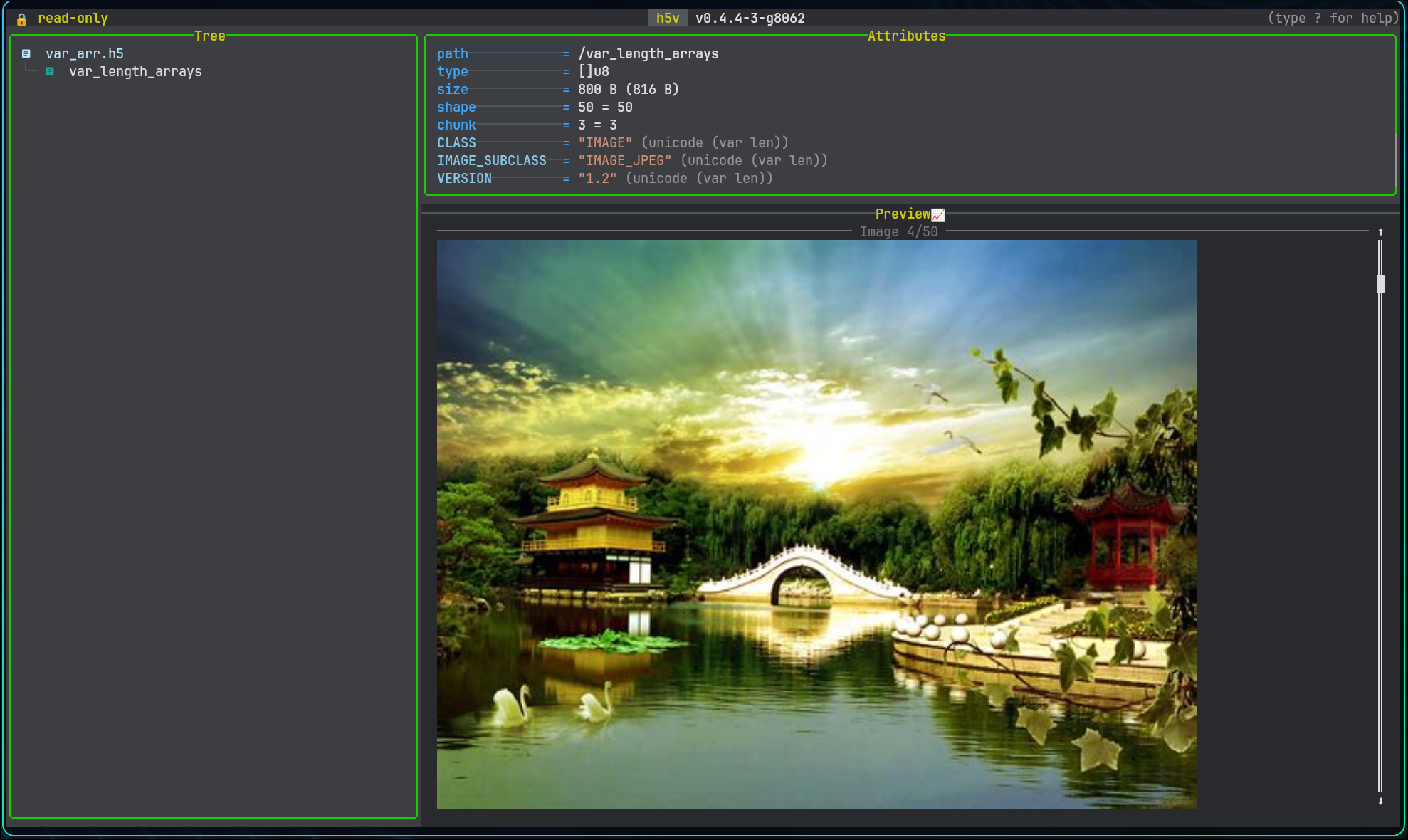
h5v renders datasets inline as images when they match the HDF5 image convention.
For the full subclass and shape rules, see Image conventions.
Terminal support
Image previews work best in terminals with a full graphics protocol. Kitty is the strongest target.
- Kitty graphics protocol: https://sw.kovidgoyal.net/kitty/graphics-protocol/
- ratatui-image backend support: https://github.com/ratatui/ratatui-image
- ratatui-image terminal screenshot matrix: https://benjajaja.github.io/ratatui-image-screenshots/
Raw JPEG and PNG payloads
h5v supports raw encoded image payloads stored as:
u8byte streams- variable-length arrays of
u8
Multi-frame image datasets
Image navigation works for multi-frame data as well:
- grayscale and truecolor image stacks can use the leading dimension as a frame axis
- raw JPEG and PNG payloads can be stored as variable-length byte arrays
- frame movement is clamped to the available range
Viewport behavior
For very wide or tall datasets, h5v switches to a windowed viewport. The HUD shows:
- the currently visible row or column range
- total coverage percentage
- how many rows or columns are visible
- how far each arrow-key press pans the viewport
Try /images/truecolor_rgb and /images/wide_grayscale in the bundled example file.