Quick start
Open a file:
h5v path/to/file.h5
h5v -w path/to/file.h5
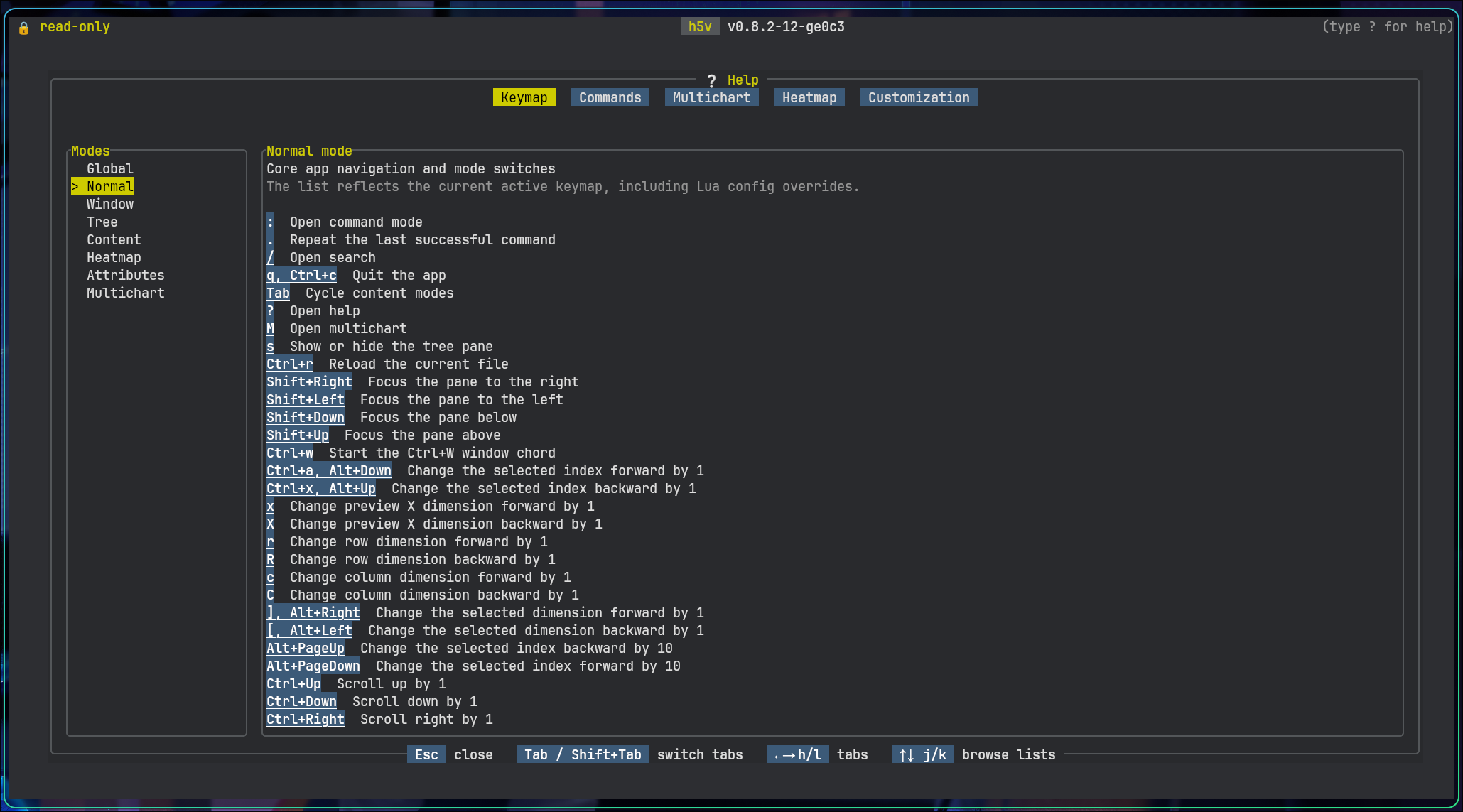
Press ? to open the in-app help.
Try the bundled example
h5v examples/h5v-example.h5 --script examples/h5v-example.h5v
Regenerate the example file if needed:
python scripts/generate_example_h5.py
Default workflow
- Move around the tree on the left.
- Inspect the selected node in the content pane.
- Inspect or edit metadata in the attributes pane.
Useful keys:
?opens the in-app helpTabswitches between preview and matrix when both exist:opens the command minibuffermadds the current preview to multichart, including group previews driven byH5V_PREVIEW_EXPRMopens or closes multichart mode
Help
Press ?. The in-app help is the reference for keys and commands.
The help view has six tabs:
KeymapCommandsMultichartHeatmapHealthCustomization
Use Tab / Shift+Tab or h / l to switch tabs.
In Keymap, Commands, and Customization, use j / k, arrow keys, Home, End, g, and G to move through the left-hand list.
Example paths:
| Path | What to look at |
|---|---|
/signals/sine_wave | Basic numeric chart preview |
/matrices/cube | Matrix mode with dimension selectors |
/images/truecolor_rgb | Inline truecolor image |
/images/wide_grayscale | Wide pannable image window |
/images/varlen_png_frames | Variable-length encoded image frames |
/compound/nested_records | Recursive compound schema view |
/compound/nested_records/window | Projected fixed-array field with matrix editing |
/metadata/attributes_demo | Mixed attribute types and references |
/group_preview | Group-level chart preview driven by H5V_PREVIEW_EXPR |
First commands
:goto /signals/sine_wave
:goto /group_preview
:mode matrix
:help mchart
Script a startup
Inline commands:
h5v examples/h5v-example.h5 \
  -c "goto /signals/sine_wave" \
  -c "mchart add" \
  -c "goto /signals/cosine_wave" \
  -c "mchart add" \
  -c "mchart show"
Script file:
h5v examples/h5v-example.h5 --script examples/h5v-example.h5v
Dry-run:
h5v --script-test --script examples/h5v-example.h5v
See Multichart, Configuration, and Startup scripting.